Friday, July 20, 2012

Friday Photo Dump

Friday Photo Dump time!
My iPods. I printed the numbers and taped it to the inside of the OtterBox protective case.

Laminating is fun! Cutting is not as much fun.

More laminate! More about the Wands Chart coming soon!

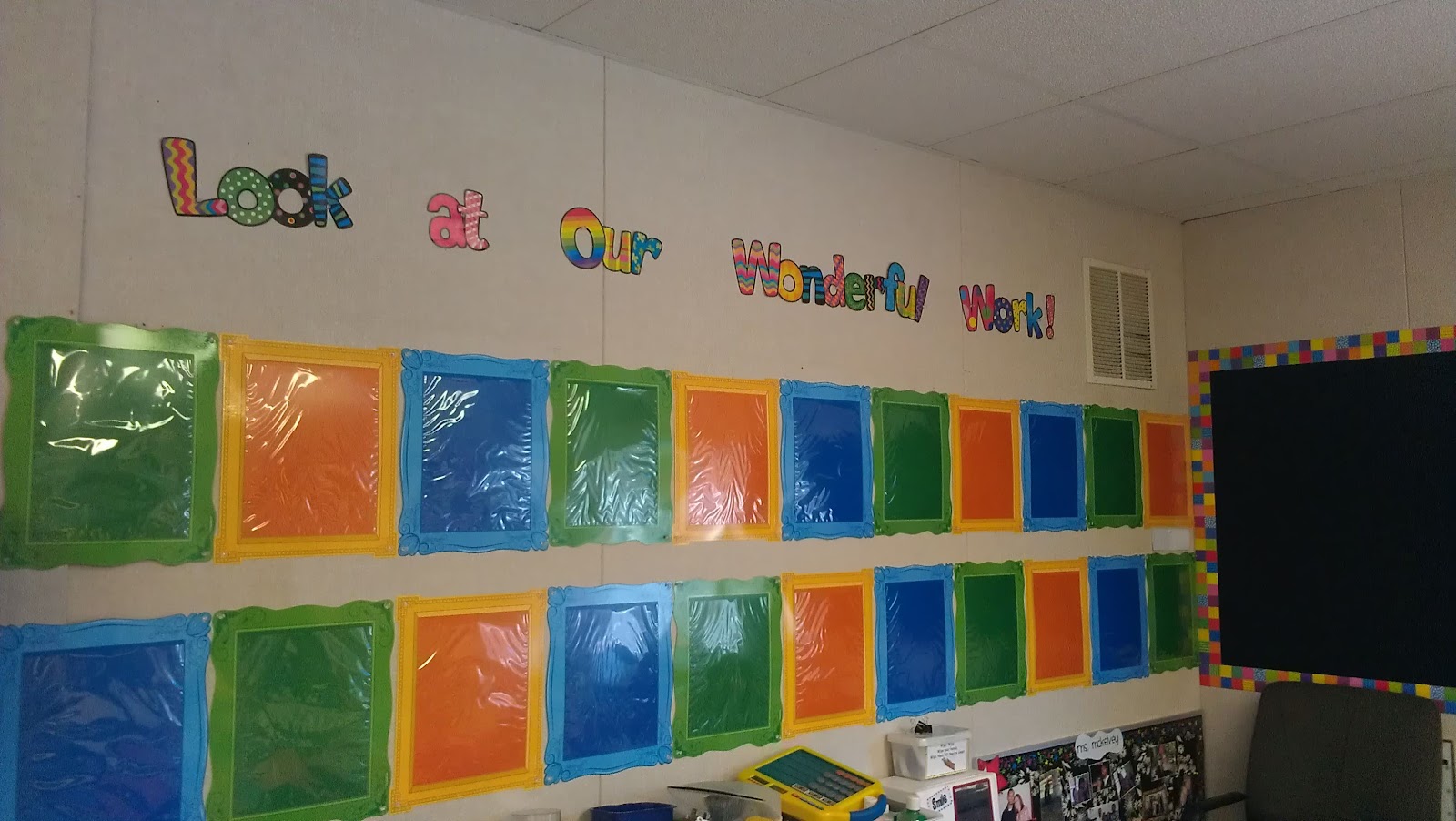
My big splurge this year! Aren't those frames darling?? I got them at Lakeshore! Each student will have their own. I'm hoping that these will last many years.
My newest product on TPT.

Not too many pictures today but here's a few more things for you...

Mrs. Lindsey's 100 Follower Giveaway is awesome! Check it out! There is a prize on there from yours truly.

Also, please consider donating to my classroom through Donors Choose. I have a new project up for an Interactive Whiteboard. This particular Interactive Whiteboard is a fraction of the amount of the "SMARTBoard" brand AND you can write on it with whiteboard marker. I think all of my students (all students in general) would benefit from having one of these babies in our classroom. Spread the word in anyway you can, please!

That's all I have for you today! I have a busy weekend ahead of me... tomorrow I have an early appointment to cut my hair and then I rush home to get ready for a wedding! I love weddings! Too bad it will be the hottest day of the week tomorrow. Bummer. Hopefully I don't melt. On Sunday, I organized a birthday BBQ for my grandmother, she'll be 78! BTW, I have a huge, huge family (this is my maternal grandmother's birthday, she has 10 children, crazy woman!), organizing a potluck style BBQ with that many people has been the end of me! Never again! I know it will be a blast to be with all of my family but next time, I'll just enjoy the company. lol.

School is creeping up everyone! Enjoy your time off while you can!

Happy Friday!!!!! 

Thursday, July 19, 2012

Must Have Picture Books & a new AWARD!


I recently saw this linky party by The Teacher Wife and I HAD to join in! C'mon guys, picture books? I'm a kindergarten teacher! I LOOOVVVEEE picture books! Apparently 150 other people felt the same way! 150 people have already joined in!
Here are my faves:

1. Chrysanthemum by Kevin Henkes.

It is an adorable story about Chrysanthemum the mouse who loves her name. After all, it is "absolutely perfect," says Chrysanthemum's father. During my 2nd year of teaching, we held a "Festival of Books" at the end of the year and each classroom chose their favorite book and perform for a reader's theater. We chose Chrysanthemum! I feel like I can still hear them saying, "Chrysanthemum, Chrysanthemum, Chrysanthemum."

2. What Are You So Grumpy About?  by Tom Lictenheld
It is the cutest! I bought this book at a book fair held at my college before I even graduated! I didn't know what grade I would teach or if I would ever teach but I knew I needed this book! I've read it to all of my classes at least once. It is about a boy who just woke up on the wrong side of the bed and nothing seems to go right for him. The wrong breakfast cereal, his clothes shrunk, he has chores to do, his sister touches him, the list goes on...

3. Frog and Toad by Arnold Lobel.

ANY Frog and Toad story is darling. I enjoy reading the short stories to my students and get them to relate to the characters. I love that the stories are about kindness, friendship and honesty. The characters are friends and treat each other with respect, everything that I try to model and expect from my own students. They are great stories to problem solve with, to act out or just to sit and listen. I have the series in a bundle I got a few years ago and I always keep one of the books on my whiteboard for anytime where we have a few extra minutes to spare.

Join the party! Visit The Teacher Wife to see all the other blogs and their favorite picture books too!

Now on to the next order of business... an AWARD!
Thank you Mrs. McElveen at Whooo Loves Kindergarten and Cindy at Krazy Kindergarten Teacher


This award is named for the German word "Liebster," which translates to "beloved" or "favorite", and is given to a "new, up and coming blogger." 


Here are the rules:

1. Link back to the person who gave it to you. 
2. Post the award to your blog.
3. Give the award to at least 5 bloggers with less than 200 followers.
4. Leave a comment on the 5 blogs to let them know that they have been offered this award.

I am giving the award to:


Mrs Greens LIttle Green Beans
Miss West's Class
Learning In Wonderland

Thank you all for being here! Did you notice that I am above 100 followers!? When did that happen??? Anyone interested in being a part of a giveaway???

Come back tomorrow for my Friday Photo Dump!

Tuesday, July 17, 2012

Teaching with iPods

Hola amigos!
A wonderful blog TIPS:Teach, Inspire, and Prepare Students just got 5 iPods to use in her classroom (Woo! Hoo! Congrats Laura!) and is asking for some help with how to use them. Any one out there want to join her linky/giveaway to offer any advice??
Here is how I use my iPods...
1. Centers
We have a 4 center rotation each day and at one center, once or twice a week, when work is complete, the students get to use the iPods. I like to make the adjust work during these days so that they will all have time to get to play. It stinks when the fast finishers are the only ones who get to play.

2. Morning Meeting
Everyone has a block of time where the students are completing "morning meeting" type tasks, right? Well, after teaching the routine for quite some time, I break my students up into different groups, this time for days of the week. Each day of the week, a group of students gets to use the iPods. I call this my "Room 3 App Store" I am very strict about which games they can play because I want the time to be useful, fun and interactive. I give them a few choices about what they can play and they can ONLY play these choices. I tell them that if they aren't following directions, then they will not be able to play anymore but I haven't had any problems and good thing because I wouldn't have such a hard time taking such a fun time away from them! Each of their game choices works on something that they are struggling with. This makes it SOOOO easy for differentiation and inclusion: everyone gets what they need!
Here's a picture of how I have it set up in my classroom.
I have each iPod numbered (aww man, I don't have a picture of that, I'll put it in the Friday Photo Dump). So, I take a minute and say, "It's Monday, You are on iPod number 1 and here are your 2 choices, You are on iPod number 2 and here are your choices, You are on iPod number 3 and here are your choices, You are on iPod number 4 and here are your choices and You are on iPod number 5 and here are your choices." That was long-winded! I call the students by their names though, not by "You." hehe. After 2 or 3 weeks time, all I have to do is walk over to the App Store pocket chart and say, "It's Tuesday," there are probably students ready and waiting at the table already with their hands out urging me to stop talking so they can start.
To make the picture choices of the apps, I Googled the apps and looked for the image that matches what it looks like on the actual iPod, formatted it to size in PowerPoint and hit print! Here is a copy of the my PowerPoint if you'd like to use it or just take a look at how I did it. Please leave me comment if you download it so I know if it is any good! =) Also, it came out kinda funky in GoogleDocs so just email me if you'd like an original copy.

3. Listen to Reading time during Daily 5
I spent much time on my computer uploading all of my books on CD into my iTunes. After I uploaded them all, I spent more time Google-ing the images of the front cover for each book. It took me all summer last year! But it was well worth it, trust me! All my students have to do is grab a book, an iPod and they are reading to listen to the story. They go to music, find the image of the book and tap on it. So simple for my kindergarteners and I don't have hands tugging on me because they can't find their story. If I want them all to read the same story, I put 1 iPod out and hook it up to my Lakeshore splitter and we are good to go!
This is what it looks like in iTunes

In order to get the picture on there you'll need to:
1. Save the picture onto your computer. I made an entire folder called "Front Covers for iPods," clever, right?
2. Go into iTunes, find the story and right click (sorry guys, I'm a PC user, I don't know what right click translates to in Mac world)
3. Click on Get Info
4. Click on the Artwork tab
5. Click Add
6. Choose your picture and save!

4. As a timer
I LOVE my Kiddie Timer! There is an app called Kiddie Timer that is amazing. There is a free one (with stinkin' ads) and a paid one. I put it under my ELMO and the students help keep track of our time. I also have a helper who taps Stop and Go (mostly because I always forget). If you have an iPod, get this app for your kids and/or your students!

Ok, I have gone on long enough, this took much longer to write than expected. Check out my previous post about iPods here and here for more info (or repeated info) and for some of the apps that I use. And don't forget to link up with Laura at TIPS to help her out and everyone else with iPods/iPads.

Thanks for being here!

Monday, July 16, 2012

Made it Monday!

Hola!
I am so excited to share my Made it Monday project because it is my first project with ModPodge!!!!! I really love this stuff! I even found a blog that is called Mod Podge Rocks, check it out, it really rocks. So, here it is, I have to admit they are not the greatest projects but they kept me busy for a couple of hours.
My new best friend


I had these left over from a school project and I KNEW I could use it for something! I painted it first.
 
I cut my scrapbook paper into strips and squares.

And ModPodged away!


I got these Cup Hooks at WalMart for 97 cents!
Look at my new jewelry holder! I also added a cup hook to the top to hang it up.


Then I whipped out this plain old clipboard...

And ModPodged away!
I found this empty frame at my apartment complex after someone moved out. I HAD to pick it up. WHAT SHOULD I DO WITH IT??
Any suggestions about what I should do with this frame?? I have a couple ideas but there are far more creative people out there than me! 
Don't forget to head over to Fourth Grade Frolics for the Linky Party and more Made It Monday projects! 
Come back soon!